
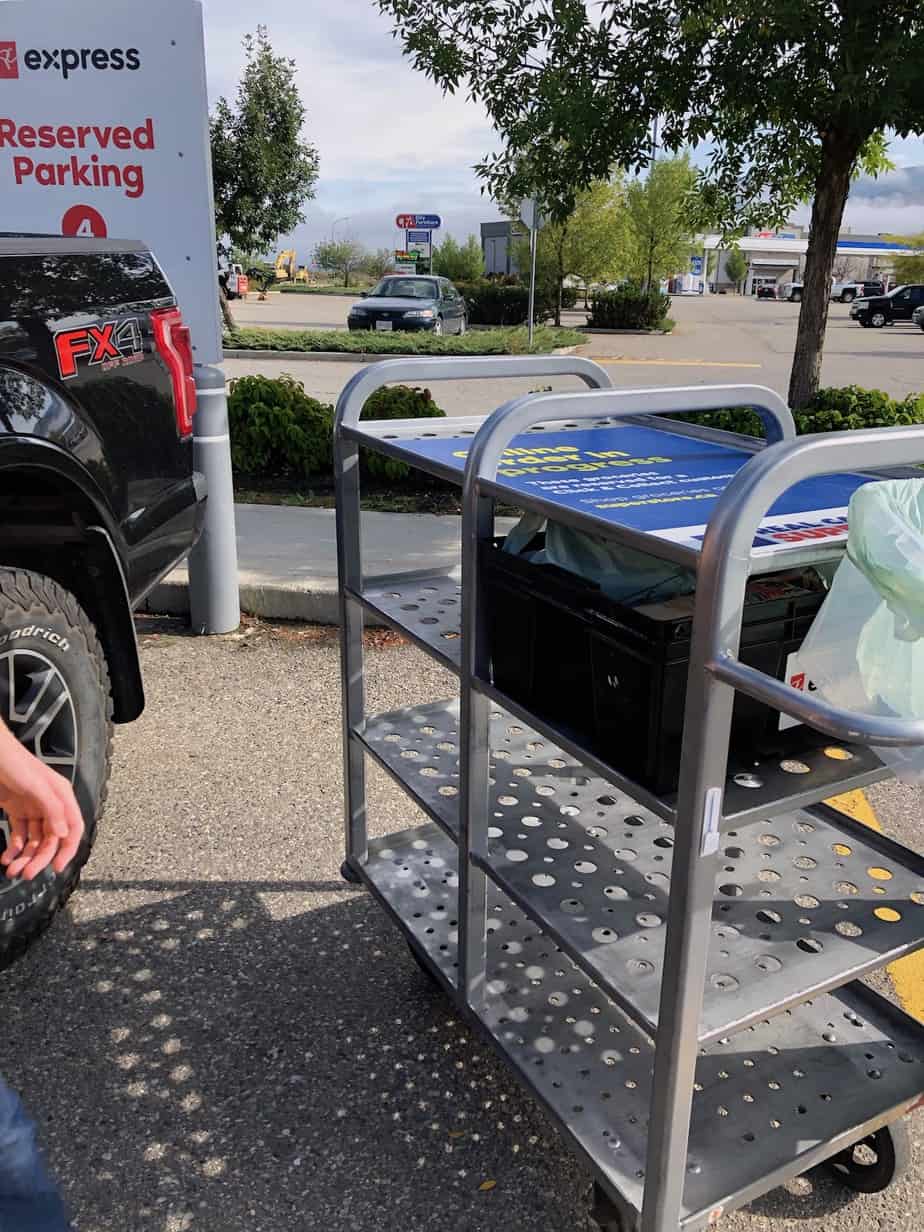
PC Express is an online grocery shopping service offered by Loblaw banner stores across Canada. You shop online, a personal shopper fills your order, and then you either pick it up in the parking lot or have it delivered to your door. I’ve been using it at Superstore for a while now, and my honest take is that it’s worth it. It saves real time without adding much hassle to my week.
Here’s a closer look at how the service works, what it costs, and where it falls short.
What is PC Express?
PC Express is the online grocery service run by Loblaw-owned stores, including Real Canadian Superstore. You create an account, shop online through the PC Express website or app, and a store employee picks your items for you. You can then collect your order from a dedicated parking spot at the store, or have it delivered directly to your home.
PC Express is the updated version of what used to be called Loblaws Click and Collect. There is a fee to use it, but you can offset some of that cost through PC Optimum points promotions that run regularly.
How PC Express works
The process is straightforward. You log into your PC Express account and shop for groceries at your preferred participating store. Once you’ve filled your cart, you choose a pickup or delivery time slot that works for your schedule. A personal shopper at the store then fills your order. You can leave notes for your shopper if you have specific preferences. At your scheduled time, you either drive to the store and park in a reserved PC Express spot, or you wait at home for your delivery to arrive.
Benefits of using PC Express
I’ve found several real advantages to using this service regularly, and they add up quickly when you’re managing a busy household.
Your PC Optimum points are automatic
Because you’re signed into your account when you shop, your PC Optimum points are applied automatically. You don’t have to remember your card or fumble with your phone at the checkout.
Your purchase history does the remembering for you
Once you’ve placed a few orders, the site shows you a list of items you buy regularly and things you’ve purchased before. This makes it much easier to reorder the same staples each week without starting from scratch. Fewer forgotten items means fewer mid-week store runs.
No parking, no cartage, no contact
PC Express pickup has its own reserved parking spots, which are larger than standard spots and close to the store entrance. You pull in, call the store, and someone brings your groceries out. For delivery, you skip the parking question entirely. Either way, you also skip the shopping cart hunt, the loonie scramble, and touching shared store equipment.
Getting kids in and out of the car is optional
If you’ve ever wrestled a toddler in and out of a car seat just to buy milk, you understand why this one matters. Pickup lets you leave them buckled while you load the trunk. Delivery means they don’t need to leave the house at all.
Sticking to your budget is easier
When you shop online, you can see your running cart total the whole time. There’s no surprise at the checkout, and no temptation from the candy aisle. Your kids also can’t grab anything off the shelves, which is its own kind of win.
Payment is handled ahead of time
You can store a credit card on your account and have your groceries charged automatically. It removes one more step from the pickup process.
What PC Express costs
The pricing structure is different for pickup and delivery, so it’s worth knowing what to expect before you sign up.
Grocery pickup fees
The PC Express pickup fee ranges from $3 to $5 per order, depending on the total. If you’re a member of the PC Insiders program, grocery pickup is included in your annual membership fee, which can make it a good value if you shop at Loblaw stores regularly.
Grocery delivery fees
Delivery costs more than pickup. There is a service fee of 7.5% of your order subtotal before tax, so a $100 grocery order would add a $7.50 service fee on top. There is also a separate delivery fee, which varies based on your order size and the time slot you choose. Delivery fees generally range from $4 for a larger order with some lead time, up to $10 for a smaller order with one-hour delivery. There is a minimum order of $10 for delivery, and the service is only available in certain urban postal code areas. Prices for delivery orders placed through Instacart may differ from in-store prices, so it’s worth double-checking before you finalize your cart.
The PC Express app
The app works well. Once you’re signed in, using it feels very similar to shopping on the desktop site. If you’re ordering from your phone, the app is a better experience than using a mobile browser. I still tend to do my grocery orders from my laptop out of habit, but the app is a solid option if you prefer your phone.
Drawbacks of PC Express
No service is perfect, and PC Express has a few friction points worth knowing about.
Technical glitches happen
My very first pickup order wasn’t ready on time. The store manager called to let me know the personal shoppers’ app had been freezing all morning and their IT team had been working on it for hours. The order did eventually get filled, and the store offered a genuine apology along with a small gift. It hasn’t happened since, but it’s worth knowing that tech issues are possible, especially with a newer rollout.
You can’t always tell what’s in stock
There are no real-time stock indicators when you shop online. You’re placing your order and hoping your items are available, which is similar to in-person shopping in some ways. You can request a substitution if something isn’t available, but you won’t be standing in front of the shelf to make that call yourself.
You have to call the store when you arrive
This is probably my biggest frustration with the service. When you arrive for pickup, you need to call the store to let them know which spot you’re in. For anyone who prefers to avoid phone calls, this step feels unnecessarily old-fashioned. The call also routes through an automated system first, which adds another layer of friction. An app-based check-in would be a much better experience.
Tipping is not expected
I wasn’t sure about this at first, so I asked several employees directly. The consistent answer was that tips are rarely, if ever, given for pickup orders. The person who brings your groceries to your car is often different from the person who did your shopping. You don’t need to feel obligated to tip for pickup.
Is PC Express worth it?
For most weeks, yes. The time savings alone make it a practical choice, especially when you have young children with you. Skipping the in-store trip means skipping the parking, the checkout line, the impulse buys, and the car seat routine. The fees are reasonable, particularly if you use the PC Insiders membership to offset pickup costs.
The phone call check-in is annoying, and the occasional tech hiccup is frustrating. But overall, PC Express has made grocery shopping a much calmer part of my week. If you shop at Superstore or another Loblaw banner store and haven’t tried it yet, it’s worth giving a few orders a go to see if it fits your routine. You can find more practical tips for managing a busy household over at the household organization section of the blog.




Leave a Reply