
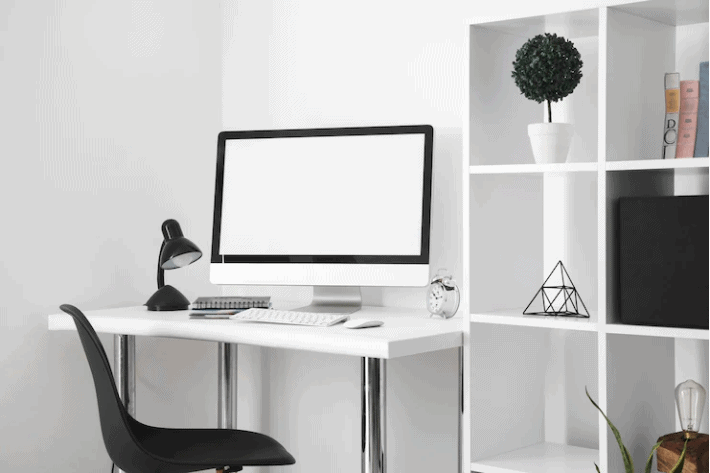
A messy home office has a way of making everything harder. You sit down to work, and before you even open your laptop, you’re already distracted by the pile of papers beside your keyboard, the cords tangled under the desk, and the stack of mail you’ve been ignoring for two weeks. The good news is that a more organized workspace doesn’t require a big renovation or a lot of money. These 15 practical hacks will help you set up a space that actually works for you.
1. Color-code your filing system
A color-coded filing system is one of the simplest ways to find what you need without digging. Divide your files into four or five categories and assign each one a color. Financial documents might go in red folders, insurance in purple, medical in yellow, and home records in blue. Label each folder clearly so anyone in your household can find what they’re looking for without asking you.
2. Set up a mail station
Physical mail still shows up whether you want it to or not. A dedicated mail station keeps it from spreading across your desk. Set up folders for incoming mail, outgoing mail, bills to pay, and items to file. The key habit is simple: file mail as soon as it comes in, then spend a few minutes each week going through each folder. This keeps due dates from sneaking up on you and stops unnecessary paperwork from building up.
3. Recycle what you don’t need
Paper accumulates fast. Before your office fills up with things you’ll never look at again, take some time to sort through what you actually need to keep. Anything you won’t reference again can be recycled or shredded. One useful habit is to save paper that’s only been printed on one side. These “good on one side” sheets are perfect for quick notes, to-do lists, and scratch paper, so you’re not wasting a fresh page every time.
4. Give your printer its own spot
Your printer doesn’t need to live on your desk. A wireless printer can go on a shelf, in a cabinet, or anywhere else in the room. Freeing up that desk space makes a real difference. Keep a small storage bin nearby for backup paper and ink cartridges so you’re never hunting for supplies mid-print. If you don’t have a wireless printer yet, it’s worth considering the next time you upgrade.
5. Use a label maker
A label maker is one of those purchases that pays for itself quickly. Label your folders, drawers, bins, and boxes so you always know exactly where things are. Opaque storage containers look tidier than clear ones, but they do make it harder to find things at a glance. Labels solve that problem. You’ll stop opening every box to find what you need and start going straight to the right one.
6. Sort your supplies into categories
Grouping similar items together makes your workspace more efficient. Pens and markers go together, tech accessories go together, and reference materials go together. If you share your workspace with other family members, a two-tiered paper sorter gives each person their own dedicated tray without taking up much desk space. Keeping things categorized also makes it faster to put things away, which means they actually get put away.
7. Store supplies in containers and bins
Loose supplies on a desk look chaotic even when they’re technically organized. Containers, baskets, and bins pull everything together visually and make it easy to grab what you need. You don’t need to spend a lot here. A few matching bins from a dollar store or a container you already have at home can do the job just as well as anything expensive.
8. Build a set of life binders
Life binders are one of the most practical organization systems for a home office. The idea is to keep your most important documents sorted into clearly labeled binders so you can grab exactly what you need in a hurry. A medical binder holds health records for every family member. A home binder keeps maintenance records, warranty information, and contractor contact details. An auto binder holds repair history and insurance paperwork. A manuals binder collects instruction guides for your appliances and electronics. A personal binder stores documents like diplomas and letters of reference. If you have pets, a separate binder for their vet records and vaccination history is worth having too. This system eliminates the frantic searching that happens in a real emergency and makes it easy to hand off information to someone else when needed.
9. Use your wall space
Most people organize a home office horizontally and forget that the walls are available too. Shelves, hanging file systems, whiteboards, pegboards, and wall-mounted calendars all move storage off your desk and up onto the wall. Going vertical gives you a lot more flexibility, especially in a smaller room. Wall storage ideas are worth exploring if you’re working with limited floor space.
10. Organize your books with intention
If you keep books in your home office, take a few minutes to arrange them in a way that makes sense to you. Some people organize by subject, some by size, and some by color. Color-coding your bookshelf creates a clean, consistent look and can actually make your whole office feel more pulled-together. Whatever system you choose, the goal is to make it easy to find what you’re looking for and easy to put things back where they belong.
11. Keep your desk as clear as possible
The fewer things on your desk, the easier it is to focus. Keep only the items you use every day within reach, and find a home for everything else. One small habit that helps with mood and focus is keeping a preferred scent at your desk, whether that’s a candle, an essential oil diffuser, or a roll-on. Using the same scent consistently while you work can actually help signal to your brain that it’s time to concentrate.
12. Prioritize good lighting
Light matters more than most people realize. If you can position your desk near a window, do it. Natural light reduces eye strain and makes a workspace feel less draining. If a window isn’t an option, add a good desk lamp or a floor lamp nearby. Overhead lighting alone is rarely enough for focused work, and poor lighting contributes to headaches and fatigue over a long day.
13. Reduce distractions before they start
Working from home comes with built-in distractions. Noise-canceling headphones are worth the investment if you share your space or work in a busy part of the house. If you use more than one monitor, a laptop stand can help keep your setup compact and your desk surface clear. A tidy desk really does make it easier to stay on task. It’s not just about aesthetics. When there’s less visual clutter around you, there’s less pulling your attention away from what you’re trying to do.
14. Tame your cables
Cable clutter is one of those things that quietly makes a workspace feel chaotic. A cord organizer, a cable management box, or even a few velcro ties can make a big difference. The goal is to keep cords grouped together and out of your direct line of sight. Once cables are managed, the whole desk tends to look and feel more organized.
15. Make comfort a real priority
An uncomfortable workspace affects your focus and your energy. If you spend several hours a day at your desk, your chair matters. An ergonomic chair that supports your back properly is worth the investment if long sitting sessions leave you feeling sore. Think about where your desk is positioned too. Placing it in a corner or with your monitor facing a wall can help reduce household distractions. Keep frequently used items like pens, calendars, and to-do lists close and at eye level so you’re not straining to reach or read them.
Taking regular breaks is also part of a functional workspace, not just a nice idea. Stepping away from your screen every hour or so, even briefly, helps you come back with better focus. A short movement break is especially useful for clearing your head before a task that requires concentration.
Putting it all together
You don’t need to overhaul your entire home office in one afternoon. Start with one or two of these changes and build from there. Even small adjustments, like setting up a mail station or labeling your bins, can make a noticeable difference in how your space feels and functions. A more organized office makes it easier to start work, stay focused, and actually finish what you set out to do.
If you’re working on organizing other parts of your home too, take a look at our posts on nursery organization, playroom storage ideas, and small kitchen storage ideas. We also have a full collection of home organization ideas if you want to keep going.




Leave a Reply